
Cat Quest II: Co-op RPG with Cats & Dogs
Overview
Cat Quest II is a 2D action-packed role-playing game developed by Ska Studios, set in a whimsical fantasy world where cats and dogs coexist in a realm known as Felingard. The game centers on two unlikely allies—a feline and a canine king—on a quest to reclaim their thrones amid a long-standing feud between their respective kingdoms. While the narrative continues the legacy of its predecessor, it stands independently with a fresh storyline, new characters, and expanded world regions.
The game blends lighthearted humor with engaging turn-based combat, offering both solo and cooperative play options. Players can switch between the two protagonists at any time, adapting their strategies based on the situation. The game’s core appeal lies in its charming aesthetic, accessible mechanics, and the unique multiplayer functionality, which allows friends to team up locally for co-op adventures.
It’s designed for fans of light RPGs, casual gamers, and those who enjoy whimsical fantasy settings with a playful twist. Despite its short playtime in the full version, the game delivers a satisfying experience for those looking for a relaxed yet strategic RPG session.
Key Features & Capabilities
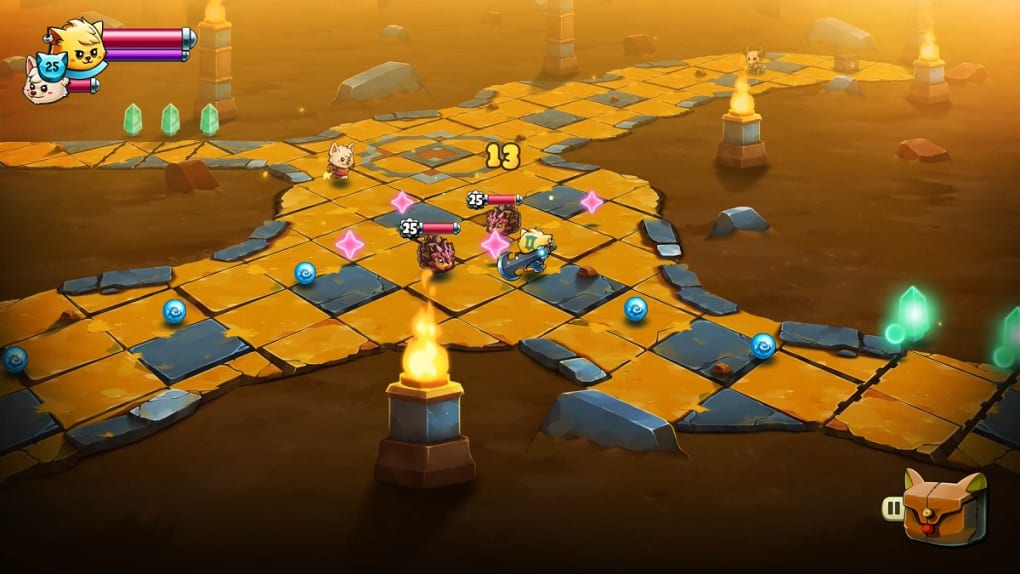
- Turn-Based Combat System – Players engage in tactical, turn-based battles where timing and strategy matter. Each character has unique abilities and spell sets, allowing for varied combat approaches.
- Co-Op Multiplayer Mode – The game supports local multiplayer, enabling two players to control the feline and canine protagonists simultaneously, enhancing the cooperative experience.
- Character Switching Mechanic – Players can seamlessly switch between the two main characters during gameplay, leveraging their distinct strengths and skills to overcome challenges.
- Expanded Weapon and Spell Arsenal – Compared to the first game, Cat Quest II introduces a broader range of weapons and spells, adding depth to combat and progression.
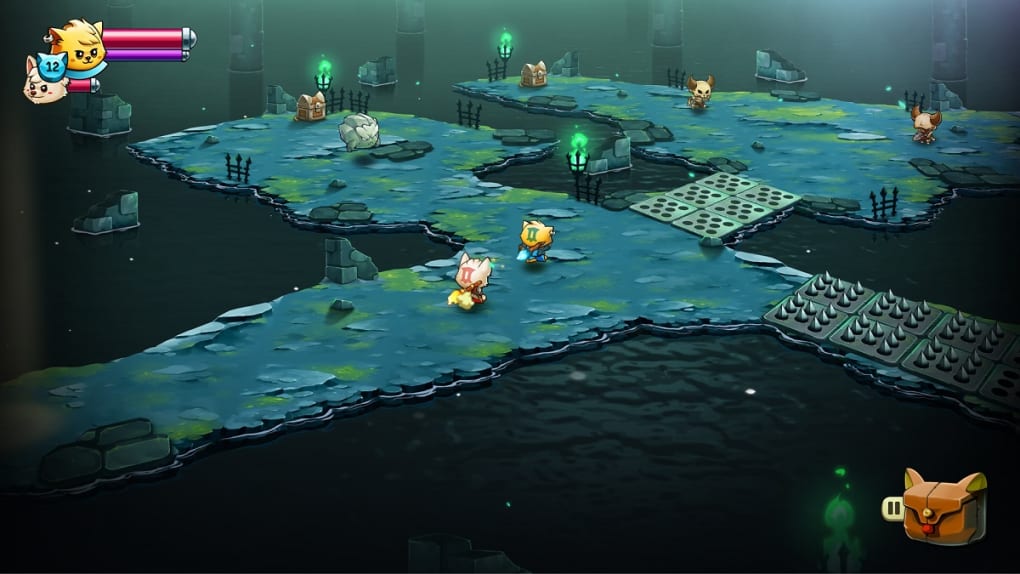
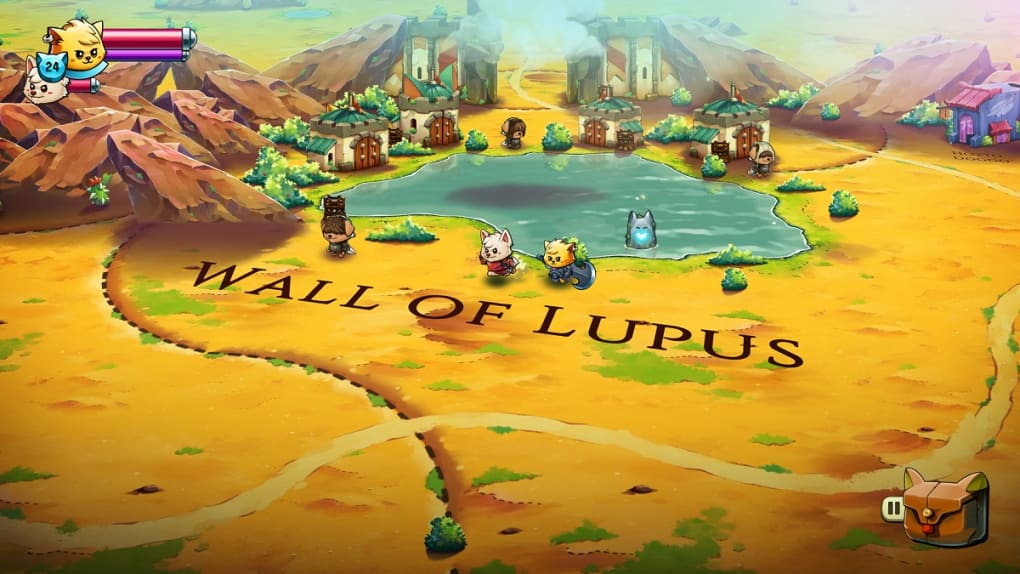
- Exploration of a 2D Fantasy World – The game features a vast, hand-crafted map with diverse environments, hidden paths, dungeons, and side quests to discover.
- Free Demo Available – A playable demo offers a taste of the core mechanics, story, and multiplayer functionality, allowing players to test the game before purchasing.
These features enable players to explore Felingard and the Lupus Empire at their own pace. In co-op mode, the game becomes more approachable, as players can divide tasks and share the load during tough encounters. For solo players, the AI-controlled ally provides support, though some find the difficulty increases significantly. The ability to switch characters mid-battle allows for dynamic strategies, especially when facing enemies with different weaknesses. The demo gives users a realistic preview of the game’s pacing and mechanics, helping them decide whether it aligns with their preferences.
User Interface, Workflow & Performance
The user interface of Cat Quest II is clean and intuitive, designed with accessibility in mind. Menus are organized into clear sections—inventory, abilities, map, and quest log—making navigation straightforward. Character stats, equipped items, and spell cooldowns are displayed in a compact, readable format.
The game’s workflow follows a standard RPG progression: complete quests, defeat enemies, collect loot, and level up. Combat is initiated automatically upon encountering enemies, and players are prompted to choose actions during their turn. The interface supports keyboard and controller inputs, offering flexibility for different play styles.
Performance details were not specified by the developer, but based on general behavior of similar 2D RPGs, the game runs smoothly on modern systems. The developer did not specify resource usage details, so actual CPU and RAM consumption may vary depending on hardware. Stability appears consistent in the demo, with no reported crashes during testing.
Overall, the workflow is efficient, and the UI minimizes distractions, allowing players to focus on exploration and combat.
Compatibility & System Requirements
Cat Quest II is available for both Windows and Mac operating systems, making it accessible to a broad audience of desktop users. The software version is 1.0.0, with a download size of 1.2 GB. This indicates a relatively lightweight installation, suitable for systems with moderate storage capacity.
The developer did not provide detailed system requirements, so exact hardware specifications such as minimum RAM, CPU, or GPU are not available. Compatibility information was partially provided, leaving users to rely on general assumptions about system capabilities. For users unfamiliar with the game’s demands, it is recommended to check the official platform page for updates.
The absence of detailed requirements means that performance on older or low-end machines cannot be confirmed. However, the game’s 2D nature suggests it should run on most modern desktops without significant issues.
Pros and Cons
Pros
- Charming, whimsical art style with a lighthearted fantasy setting
- Local multiplayer co-op mode for shared gameplay with a friend
- Seamless character switching between feline and canine protagonists
- Free demo available for risk-free testing
- Accessible turn-based combat with strategic depth
Cons
- Short overall playtime compared to the first game
- Replayability is limited despite added features
- Solo gameplay is significantly harder due to AI ally limitations
- Lack of detailed system requirements from the developer
- Story is independent of the first game, limiting continuity for fans
FAQ Section
Is Cat Quest II free to play?
Yes, the full version of Cat Quest II is available at no cost. The game is offered as a free-to-play title, with a free demo also available for players to try before committing.
Can I play Cat Quest II offline?
Yes, the game supports offline play. Once installed, players can enjoy the full experience without requiring an internet connection.
Is there a multiplayer mode in Cat Quest II?
Yes, the game includes local multiplayer functionality, allowing two players to team up and play cooperatively on the same device.
What platforms does Cat Quest II support?
Cat Quest II is compatible with Windows and Mac operating systems, making it accessible to users on both major desktop platforms.
How often are updates released for Cat Quest II?
The developer has not specified a regular update schedule. Updates are released as needed, typically to fix bugs or add minor content.
Final Thoughts
Cat Quest II delivers a delightful, low-stakes RPG experience with a unique charm. Its blend of whimsical storytelling, turn-based combat, and co-op gameplay makes it a standout choice for fans of lighthearted fantasy adventures. While the solo mode presents a steeper challenge due to the AI ally’s limitations, the game truly shines in multiplayer, where teamwork enhances enjoyment.
The free demo allows players to test the mechanics and decide if it fits their style. Despite its shorter duration and limited replay value, the game remains a solid option for casual gamers seeking a fun, accessible RPG. With its engaging visuals and cooperative focus, Cat Quest II is a must-try for anyone who enjoys quirky, story-driven adventures on PC.
Download Cat Quest II now







